


The general method
Programming a remote to your opener
Nearly every opener sold in Australia uses one of three methods. Work out which one yours uses, then follow that section. Always check your brand instructions below before you start, because the button names and timings vary.
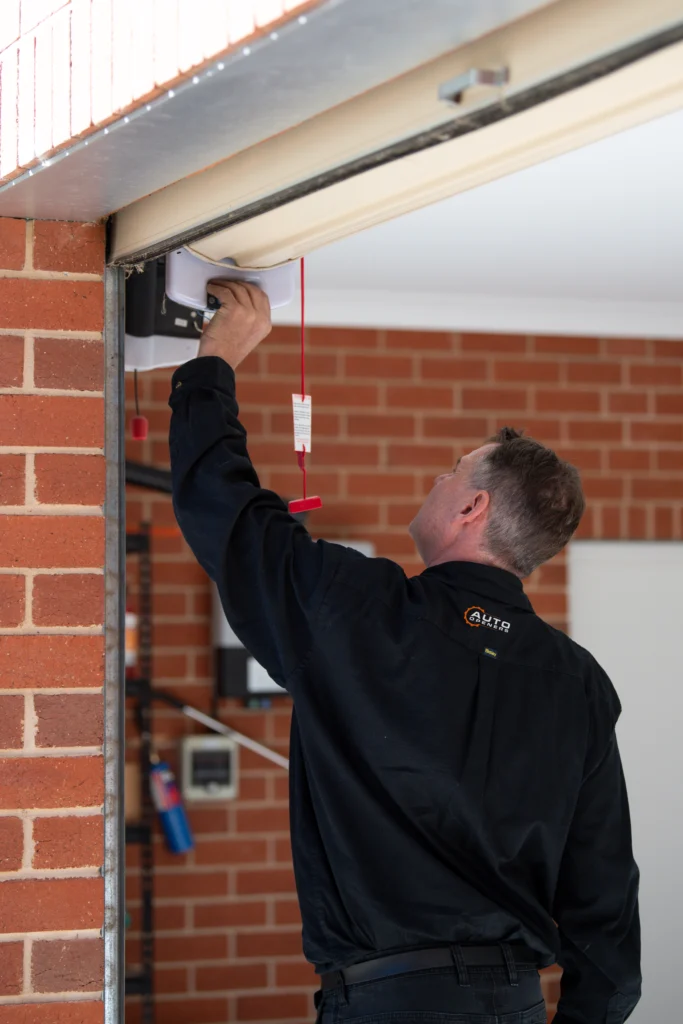
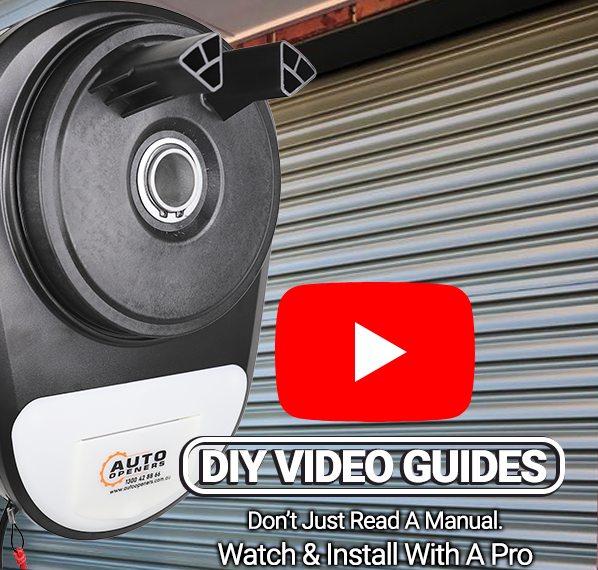
The learn button sits on the motor head, usually behind or beside the light cover.
Method 1 Using the learn button on the opener
This is the most common method and works on the majority of sectional and roller door openers.
- Get to the motor head. On a sectional door opener it is on the ceiling unit. On a roller door opener it is on the motor beside the door.
- Find the learn button. It is usually a small button marked Learn, Code, Set or P, often under a light cover or a removable panel, and often next to a small LED.
- Press and release the learn button. The LED should light up or start flashing. This means the opener is waiting for a code.
- Within about 30 seconds, press the button you want to use on the remote. Hold it for a second, release, then press it a second time.
- The LED will flash or go out to confirm the code is stored.
- Test the remote from outside the garage. If nothing happens, repeat the process and press the remote button a little longer.
If the opener light flashes but the door does not move, the code has stored and something else is stopping the door, usually the safety beam or the door being locked.
Method 2 Copying from a remote that already works
Some fixed code and self-learning remotes can be copied head to head, without touching the opener at all.
- Hold the working remote and the new remote end to end, a few centimetres apart.
- Press and hold the button on the new remote until its LED lights steadily.
- While still holding, press and hold the matching button on the working remote.
- The LED on the new remote will flash rapidly to confirm the code has transferred.
- Release both buttons and test.
This only works where both remotes use the same frequency and coding type. Rolling code remotes generally cannot be copied this way and need the opener put into learning mode instead.
Method 3 Programming to a separate receiver
Gate openers and some older garage setups use a receiver box rather than coding into the motor itself.
- Open the receiver housing. It is usually mounted near the motor or inside the control box.
- Press the learn or code button on the receiver board. An LED will light.
- Press the remote button twice.
- Confirm the LED goes out, then close the housing and test.
Some receivers use DIP switches instead of a learn button. If you can see a row of tiny switches inside both the receiver and the remote, set them to match rather than programming anything.
51 remotes
Programming instructions by brand
Find your brand below, then your model number. The model number is printed on the back of the remote or under the battery cover. Each set of instructions has been written up by our technicians from the manufacturer documentation.
Auto Openers remote programming
Our own house brand, and the openers we recommend for DIY installs.
AOTX4 · AO945 · AOTX5 · AOBD5 · AO842 · AOHT4 · AOAV · AOBD · AOTX · AOID
ATA (Automatic Technology) remote programming
One of the most common brands in Australia. Check whether yours is a PTX-5 version 1 or 2, because the method differs.
PTX-6 · WTX-6 · PTX-4 · PTX-5v1 · PTX-5v2 · KPX-7v2 · KPX-5 · EAT-1 · EAT-2 · EAT-2v2
B&D remote programming
Covers the Tri-Tran and Tri-Tran+ handsets as well as the wall buttons.
TB7 · WTB-8 · TB6 · WTB-6 · TB5v2 · KPX-7v2
Boss and Steel-Line remote programming
Boss and Steel-Line share hardware, so the HT4 instructions cover both.
BOSS HT4 · SL HT4 · HT3 · ZT07
Elsema remote programming
Mostly gate and receiver applications rather than garage doors.
PentaFOB Range · PentaCODE Range · GIGALINK Range
Gliderol remote programming
The TM-390+ replaces several older Gliderol handsets.
TM-305c · TM-27 · TM-390+
Grifco remote programming
Commercial and industrial openers. The E960G is the current eDrive handset.
E960G
Merlin remote programming
The current Chamberlain Merlin ANZ range. C840 is the keypad rather than a handset.
C945 · E960M · E970M · M-842 · M-802 · E148M · E964M · C840 · E840M
Other brands remote programming
Smaller brands and imports. If your remote is not listed anywhere else, start here.
Nova · Mitto · FAAC · Nice · ECA
Cannot find your remote? Check Other brands first, then call us on 1300 456 356. Have the model number of your opener or gate motor ready, because that is what we need to point you to the right instructions.
When it will not take
Troubleshooting
Most failed programming attempts come down to one of these five things.
Nothing happens when you press the learn button
Flat battery in the remote is the usual cause, and a remote that has sat in a drawer will look fine and still be dead. Try a new battery first. If the opener LED does not light at all when you press learn, the opener may not be powered or the button may be a different one on your model.
The code stores but the door does not move
If the opener light flashes when you press the remote, the code has stored correctly and something else is stopping the door. Check the safety beam is aligned and clear, the door is not locked, and the opener is not in vacation or lock mode.
The remote only works up close
Almost always a weak battery or a damaged aerial. On a roller door opener the aerial is a thin wire hanging from the motor and it needs to hang free rather than being coiled or taped to the frame.
The opener is full and will not accept another remote
Most openers store a limited number of codes, commonly eight to sixteen. Once full they ignore new ones. You need to erase all stored codes and reprogram every remote you use.
How to erase all codes and start again
On most openers, press and hold the learn button until the LED goes out, usually six to ten seconds. That clears every stored remote and keypad. You will then need to reprogram each one. Worth doing if you have bought a house and do not know who has a remote.
You have the wrong remote for the opener
Remotes are not universal. A remote has to match the opener’s frequency and coding type. If programming fails on every attempt and the battery is good, check the remote is actually compatible with your opener model before going further.
Common questions
Remote programming, answered
How do I program a garage door remote?
Press the learn button on the opener motor, then press the button on your remote twice within about 30 seconds. The LED on the opener will flash or go out to confirm. Exact button names and timings vary by brand, so check your model’s instructions above.
Where is the learn button on a garage door opener?
On a sectional door opener it is on the ceiling motor unit, often behind the light cover or a small removable panel. On a roller door opener it is on the motor beside the door. Look for a small button marked Learn, Code, Set or P, usually next to an LED.
How do I reset or reprogram a garage door remote?
To reprogram a single remote, just run through the learning process again. To clear everything, hold the learn button on the opener until the LED goes out, usually six to ten seconds, then reprogram each remote and keypad you use.
How do I program a 4 button garage door remote?
The same way as any other remote, but each button is programmed separately. Put the opener into learning mode and press one button twice. Repeat for the next button against a second opener or gate. One remote can usually operate up to four different devices.
Can I copy a garage remote from an existing one?
Sometimes. Fixed code and self-learning remotes can often be copied head to head without touching the opener. Rolling code remotes cannot, and need the opener put into learning mode instead.
Why will my remote not program?
In order of likelihood: flat battery, the opener’s memory is full, you are pressing the wrong button on the motor, the timing window has expired, or the remote is not compatible with your opener.
How many remotes can one opener hold?
Commonly between eight and sixteen, depending on the model. Once full, the opener will ignore new remotes until you erase the stored codes and start again.
Do I need the original remote to program a new one?
No. As long as you can reach the learn button on the opener, you can program a new remote without having a working one. You only need an existing remote for the head-to-head copying method.
My remote is not listed. What now?
Check the Other brands section first, which covers Nova, Mitto, FAAC, Nice and ECA. If it is still not there, call us on 1300 456 356 with the model number of your opener or gate motor and we will point you to the right instructions.
Need a new one
Replacement remotes and keypads
If your remote is damaged, lost or beyond programming, we stock replacements for every major Australian brand. Held in stock and despatched the same day when ordered before 1pm.